
Zyvro Studio0.1.0-alpha.96Run it on your machine.
Run it on your machine.
Nothing leaves it.
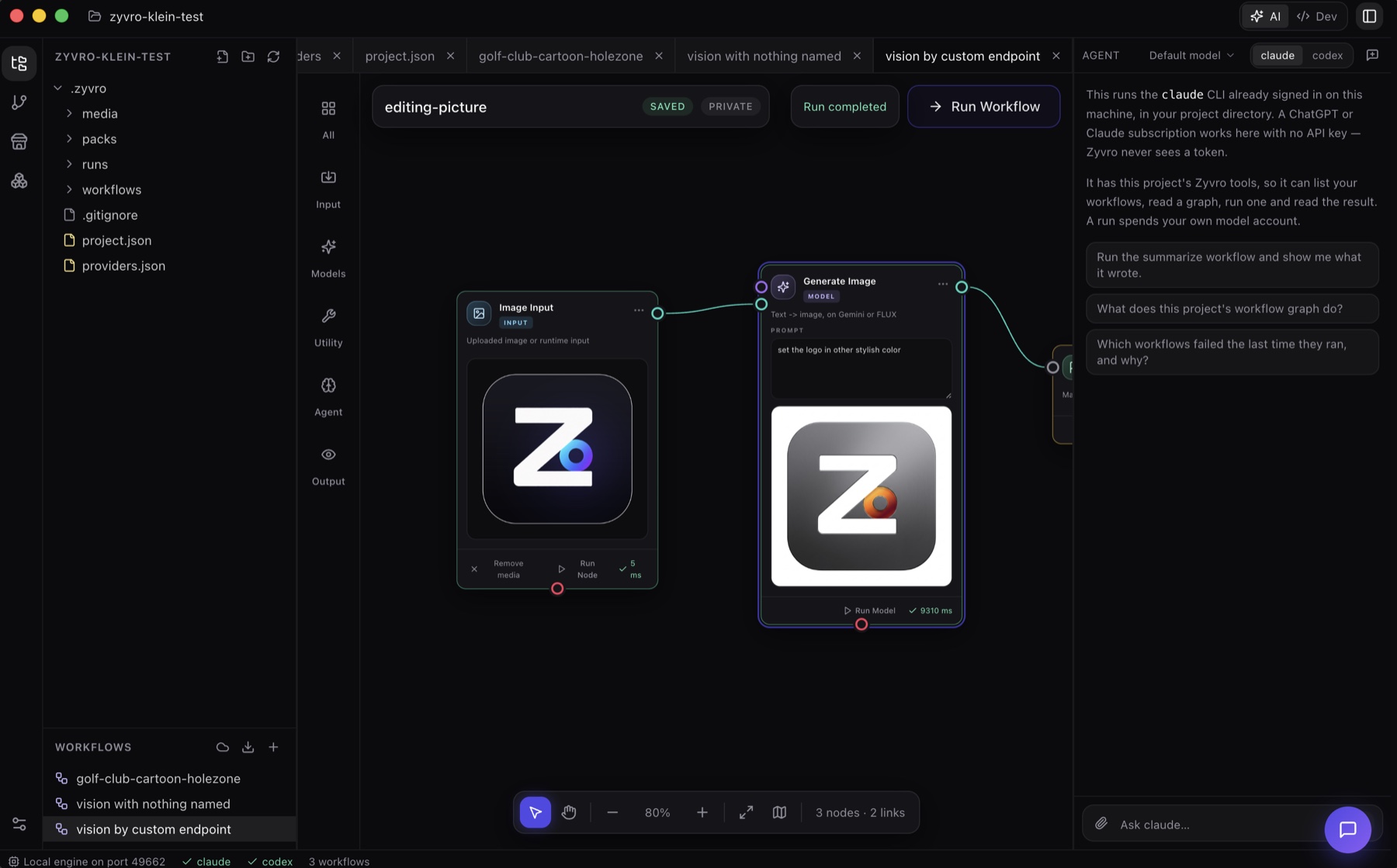
The canvas from the web app, in a desktop workspace beside the code it acts on — free, and open source.
Download for macOS · Apple Silicon
135 MB · 0.1.0-alpha.96|macOS · Intel·Windows
What you get
- Workflows as files under
.zyvro/, versioned with your code. - Your
claudeorcodexCLI drives text nodes — a subscription works, with no key to paste. - Ollama, LM Studio or any OpenAI-compatible server on your machine, for text, vision and images.
- A file tree, an editor, a terminal, source control and an agent panel, around the same canvas.
Before you open it
The build is not signed yet. macOS says the developer cannot be verified — right-click the app and choose Open. Windows shows “Windows protected your PC” — choose More info, then Run anyway.
Both warnings are accurate: neither platform can tell you this came from us. Comparing the SHA-256 below is the only check there is until the certificates are in place.
Rather build it
Three public repositories, no hidden step. The installer is the same thing, packaged.
Every file in v0.1.0-alpha.96
Published 2026-10-25 · pre-release · hover a hash to see it in full
| File | For | Size | SHA-256 |
|---|---|---|---|
| Zyvro.Studio-0.1.0-alpha.96-arm64.dmg | macOS · Apple Silicon | 135 MB | 0cc986d384f1228c… |
| Zyvro.Studio-0.1.0-alpha.96.dmg | macOS · Intel | 142 MB | 76aa8d8c6ec38490… |
| Zyvro.Studio.Setup.0.1.0-alpha.96.exe | Windows | 124 MB | 699031d39141abfa… |
| Zyvro.Studio-0.1.0-alpha.96-arm64-mac.zip | macOS · Apple Silicon · zip | 129 MB | b74007927ed12812… |
| Zyvro.Studio-0.1.0-alpha.96-mac.zip | macOS · Intel · zip | 136 MB | e6705badb8146698… |
No install needed to try it
The same canvas runs in the browser, on your own keys.